Motherboard Standoff Dimensions Guide for PC Builders
Motherboard standoffs are small but essential components in any computer system. They create a safe gap between the motherboard and the PC case, preventing electrical short circuits and improving airflow. Without proper standoff dimensions, hardware may suffer damage, instability, or overheating issues. Beginners often ignore their importance, but experienced builders rely on them for safety. This guide covers dimensions, types, installation, and best practices to ensure a stable and professional PC build.
Learn about motherboard standoff dimensions, types, installation, and best practices to ensure safe, stable, and efficient PC building.
- What Is a Motherboard Standoff?
- Standard Motherboard Standoff Dimensions
- Types of Motherboard Standoffs
- Motherboard Form Factors and Standoff Placement
- Installation Process
- Key Features of Motherboard Standoffs
- Benefits of Using Correct Standoff Dimensions
- Common Mistakes to Avoid
- Advanced Considerations
- Compatibility Tips
- Maintenance Tips
- FAQ’s
- Conclusion
- Related post
What Is a Motherboard Standoff?
A motherboard standoff is a small spacer placed between the motherboard and the computer case to create proper separation and support.
It is typically made from brass or plastic and has threaded ends that allow screws to secure the motherboard firmly in place.
The primary purpose of a standoff is to lift the motherboard above the metal surface of the case.
This prevents direct contact, which could otherwise cause a short circuit. Such electrical issues can permanently damage components like the CPU, RAM, or storage devices.
Standoffs also provide structural support. Without them, the motherboard would not sit evenly, which could lead to bending or stress on the PCB.
Additionally, they help maintain proper alignment of ports with the rear I/O panel, ensuring everything fits correctly.
In modern PC cases, standoffs are often pre-installed or included as accessories. However, users still need to place them correctly based on the motherboard form factor.
Standard Motherboard Standoff Dimensions

Common Measurements
- Height: 6mm to 6.5mm
- Thread size (case side): #6-32 UNC
- Thread size (motherboard screw side): #6-32 UNC or M3
- Hex width: approximately 5mm
The height of the standoff is the most important measurement. A standard 6mm gap ensures enough space to prevent electrical contact while still allowing secure mounting.
Thread sizes are also critical. The #6-32 UNC thread is commonly used in PC cases, while some motherboards use M3 screws. Using the correct thread ensures a tight and secure fit.
Although most manufacturers follow these standards, slight variations can exist. That is why it is always recommended to check your case manual and motherboard specifications before installation.
Types of Motherboard Standoffs
Brass Standoffs
Brass standoffs are the most widely used option in modern PC builds.They are recognized for their strong build, long-lasting durability, and resistance to corrosion.
These standoffs are ideal for long-term usage because they can handle the weight of heavy components like GPUs and large cooling systems. They also provide proper grounding, which can help reduce minor electrical interference.
Because of their reliability, brass standoffs are the preferred choice for gaming PCs, workstations, and professional builds.
Plastic Standoffs
Plastic standoffs are lightweight and inexpensive. They are commonly used in entry-level systems or low-power devices.
One advantage of plastic is that it naturally provides electrical insulation, reducing the risk of short circuits. However, plastic standoffs are not as strong as brass and may break under pressure or wear out over time.
They are best suited for temporary setups or lightweight builds where durability is not a major concern.
Snap-in Standoffs
Snap-in standoffs are designed for quick and tool-free installation. Instead of using threads, they snap directly into the case.
These are useful for testing environments, repair work, or quick assembly tasks. However, they are less secure compared to threaded standoffs and may not provide long-term stability.
For permanent builds, threaded brass standoffs are generally recommended over snap-in types.
Motherboard Form Factors and Standoff Placement
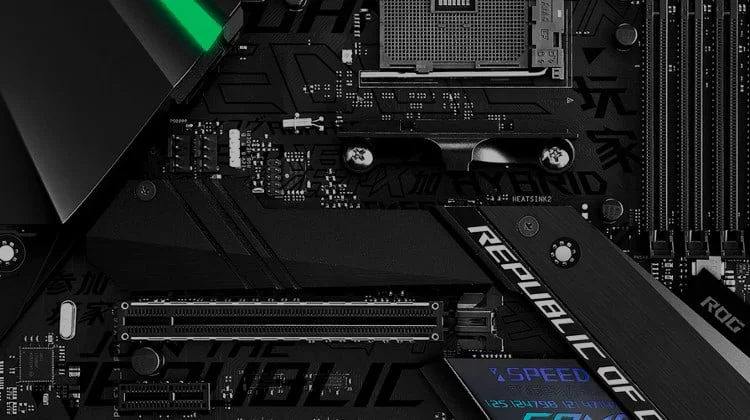
ATX Motherboards
ATX motherboards are the most common form factor, measuring 305 × 244 mm. They require multiple standoff positions to support their larger size.
Because of their size, proper alignment is very important. Missing even one standoff can cause the board to bend or become unstable.
Micro-ATX Motherboards
Micro-ATX motherboards measure 244 × 244 mm and require fewer standoffs than ATX boards.
They are widely used in budget and mid-range systems because they offer a good balance between size and performance.
Mini-ITX Motherboards
Mini-ITX motherboards are compact, measuring 170 × 170 mm. They require fewer standoffs and are commonly used in small form factor builds.
Due to limited space, correct placement is essential to avoid installation issues.
Installation Process
Installing motherboard standoffs correctly is critical for system safety.
First, identify the mounting holes inside your PC case. These are usually marked with labels such as ATX or Micro-ATX.
Next, install standoffs only in positions that match your motherboard’s mounting holes. Never install unnecessary or extra standoffs, as they can cause short circuits.
Carefully place the motherboard on top of the standoffs. Ensure proper alignment before inserting screws.
Finally, secure the motherboard using screws. Tighten them gently to avoid over-tightening, which can damage the board or strip the threads.
Key Features of Motherboard Standoffs
- Standardized design for universal compatibility
- Made from durable materials like brass and plastic
- Corrosion-resistant for long-term use
- Provide secure mounting support
- Easy to install with basic tools
Benefits of Using Correct Standoff Dimensions
- Prevents electrical short circuits
- Improves airflow within the case
- Ensures stable motherboard mounting
- Protects sensitive hardware components
- Enhances overall system lifespan
Common Mistakes to Avoid
One of the most common mistakes is installing extra standoffs that do not align with the motherboard. This can lead to serious electrical damage.
Another mistake is using incorrect standoff height. Too short can cause contact, while too tall can result in loose mounting.
Over-tightening screws can crack the motherboard or damage threads.
Failing to check proper alignment before securing the board can lead to uneven installation and long-term issues.
Advanced Considerations
Thermal Performance
Proper standoff spacing improves airflow, which helps in cooling components like the CPU and voltage regulators. This is especially important in high-performance builds.
Cable Management
The gap created by standoffs allows better cable routing, making the interior of the case cleaner and more efficient.
EMI Protection
Metal standoffs provide grounding, which can reduce electromagnetic interference (EMI) and improve system stability.
Compatibility Tips
Always verify compatibility between your PC case and motherboard before installation.

Check the thread type to ensure screws fit properly.
If your case does not include enough standoffs, purchase a compatible set designed for your motherboard size.
Maintenance Tips
Regular maintenance ensures long-term reliability.
Keep the case interior clean to avoid dust buildup, which can affect airflow.
Check screws periodically to ensure they remain tight.
Replace damaged or rusted standoffs immediately.
FAQ’s
What is the standard height of a motherboard standoff?
The standard height of a motherboard standoff is around 6mm, which provides proper spacing to prevent short circuits and ensure stable installation.
Can I use plastic standoffs instead of metal ones?
Yes, plastic standoffs can be used, but they are less durable than metal ones and are better suited for lightweight or temporary builds.
How many standoffs does a motherboard need?
Each mounting hole on the motherboard should have a corresponding standoff to ensure proper support and prevent bending or damage.
What happens if I install extra standoffs?
Installing extra standoffs can cause unwanted electrical contact, leading to short circuits and possible permanent hardware damage.
Do all PC cases come with standoffs?
Most PC cases include standoffs, but some require manual installation or additional purchase depending on the motherboard size.
Conclusion
Motherboard standoff dimensions are a crucial part of any PC build. They ensure proper spacing, prevent electrical damage, and improve airflow inside the case. By selecting the correct size, type, and placement, you can build a system that is both safe and efficient. Always follow proper installation practices to achieve a reliable, long-lasting, and professional-quality computer setup.