Motherboard Code 15- Causes, Fixes, and Troubleshooting Guide
The motherboard code 15 error is a common issue that appears during the computer boot process, especially on high-performance gaming and workstation motherboards. This error code usually indicates a problem related to memory initialization or hardware detection during POST (Power-On Self-Test). Many users experience boot failures, black screens, or system instability because of this issue. Understanding the causes and solutions for motherboard code 15 helps users diagnose hardware problems quickly and restore system performance effectively.
Learn how to fix motherboard code 15 errors with easy troubleshooting tips, causes, BIOS fixes, RAM solutions, and complete startup repair guidance.
- What Is Motherboard Code 15?
- Why Does Motherboard Code 15 Appear?
- Signs of Motherboard Code 15 Error
- How Motherboard Code 15 Affects System Performance
- Main Causes of Motherboard Code 15
- How to Fix Motherboard Code 15
- Reseat the RAM Modules
- Test RAM Individually
- Reset the BIOS
- Check CPU Installation
- Disable Overclocking
- Update the BIOS
- Check Power Supply Stability
- Best Practices to Prevent Motherboard Code 15
- Motherboard Brands Commonly Showing Code 15
- When to Replace the Motherboard
- Professional Troubleshooting vs DIY Repair
- FAQ’s
- Conclusion
- Related post
What Is Motherboard Code 15?
The motherboard code 15 is a debug code displayed on certain motherboards during the startup process. It often appears on motherboards that include onboard diagnostic displays such as ASUS ROG, MSI, Gigabyte, or ASRock premium models.
This code usually relates to:
- Memory initialization problems
- RAM detection failures
- BIOS communication errors
- CPU and memory training issues
In some cases, the system may continue booting normally, while in other situations it may freeze completely.
Why Does Motherboard Code 15 Appear?
The motherboard performs several hardware checks during startup. If it encounters problems while initializing memory or hardware components, it may display code 15.
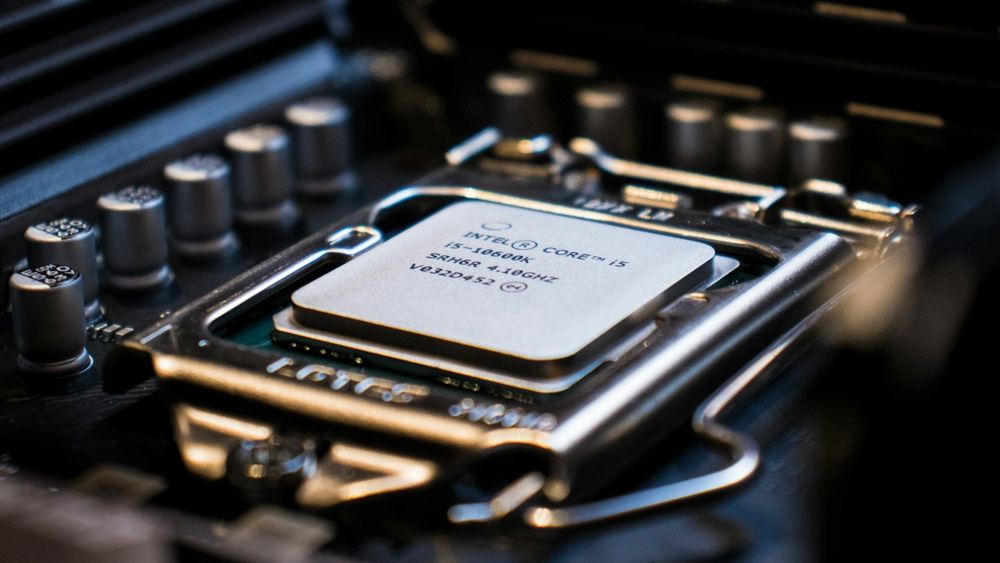
Common Reasons Behind Motherboard Code 15
- Improper RAM installation
- Faulty memory modules
- BIOS corruption
- CPU seating issues
- Overclocking instability
- Damaged motherboard slots
- Power supply problems
- Hardware compatibility conflicts
These issues can interrupt the boot process and prevent the computer from starting properly.
Signs of Motherboard Code 15 Error
Users experiencing motherboard code 15 may notice several symptoms before the system fails completely.
Common Symptoms
- Black screen during startup
- System stuck on boot logo
- Continuous reboot loops
- No display signal
- PC powers on but does not boot
- Debug LED showing code 15
Recognizing these signs early helps prevent further hardware complications.
How Motherboard Code 15 Affects System Performance
The motherboard code 15 error can stop the system from completing the POST process. Without successful hardware initialization, the computer cannot load the operating system.
This issue may cause:
- Boot failure
- Reduced system stability
- Hardware communication errors
- Data access interruptions
- Performance inconsistencies
Professional users and gamers often face workflow interruptions because of this problem.
Main Causes of Motherboard Code 15
Understanding the root causes helps users troubleshoot the issue effectively.
RAM Installation Problems
Improperly installed RAM modules are one of the most common causes of motherboard code 15.
Possible RAM Issues
- Loose RAM sticks
- Dirty RAM contacts
- Incorrect RAM slot usage
- Incompatible memory modules
Even a small installation mistake can trigger boot errors.
Faulty RAM Modules
Defective memory sticks may prevent the motherboard from completing memory training successfully.
Signs of Faulty RAM
- Random crashes
- Blue screen errors
- System freezing
- Boot failures
Testing each RAM module individually helps identify damaged memory.
BIOS Configuration Errors
Incorrect BIOS settings or failed firmware updates may trigger motherboard code 15 during startup.
Common BIOS Problems
- Corrupted BIOS files
- Incorrect voltage settings
- Unstable overclocking profiles
- Failed BIOS updates
Resetting BIOS settings often resolves the issue.
CPU Seating Issues
Improper CPU installation can affect communication between the processor and memory controller.
CPU-Related Problems
- Bent motherboard pins
- Uneven CPU pressure
- Incorrect cooler installation
- Thermal paste contamination
These issues may interrupt memory initialization.
Overclocking Instability
Aggressive overclocking can create instability during boot sequences.
Overclocking Problems Include
- High memory frequencies
- Incorrect voltages
- Unstable CPU clocks
- Excessive heat generation
Returning to default settings may solve the problem.
How to Fix Motherboard Code 15
Several troubleshooting methods can help resolve motherboard code 15 successfully.
Reseat the RAM Modules
The first step is checking memory installation carefully.
Steps to Follow
- Turn off the computer completely
- Disconnect the power cable
- Remove RAM modules
- Clean RAM contacts gently
- Reinstall memory sticks securely
- Boot the system again
This simple method fixes many code 15 issues.
Test RAM Individually
Testing RAM sticks one by one helps identify faulty modules.
Testing Process
- Install one RAM stick only
- Boot the system
- Repeat for each module
- Try different motherboard slots
This process isolates damaged memory components effectively.
Reset the BIOS
Resetting BIOS settings restores default hardware configurations.
Methods to Reset BIOS
- Remove CMOS battery temporarily
- Use motherboard clear CMOS button
- Use BIOS reset jumper
This often fixes boot-related configuration errors.
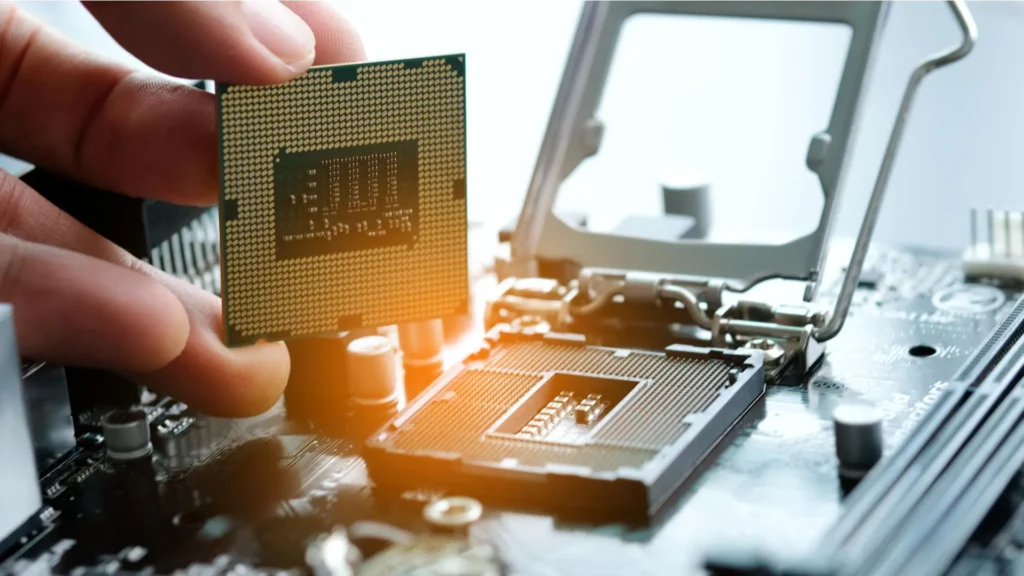
Check CPU Installation
Inspect the processor and motherboard socket carefully.
Important Checks
- Look for bent pins
- Verify cooler pressure
- Ensure proper CPU alignment
- Reapply thermal paste if needed
Improper CPU seating can directly trigger motherboard code 15.
Disable Overclocking
Overclocking instability frequently causes startup errors.
Recommended Actions
- Load BIOS default settings
- Disable XMP profiles temporarily
- Reduce RAM frequencies
- Lower CPU overclock values
Stable default settings improve boot reliability.
Update the BIOS
Manufacturers regularly release BIOS updates for hardware compatibility improvements.
Benefits of BIOS Updates
- Better RAM compatibility
- Improved system stability
- Fixed startup bugs
- Enhanced hardware detection
Always install BIOS updates carefully to avoid corruption.
Check Power Supply Stability
A weak or failing power supply may interrupt motherboard startup procedures.
Power Supply Symptoms
- Random shutdowns
- Reboot loops
- Power fluctuations
- Inconsistent boot behavior
Using a high-quality PSU improves system stability.
Best Practices to Prevent Motherboard Code 15
Preventive maintenance helps reduce future boot problems.
Recommended Prevention Tips
- Install compatible RAM only
- Avoid excessive overclocking
- Keep BIOS updated
- Clean hardware regularly
- Use stable power supplies
- Monitor system temperatures
These practices improve overall motherboard reliability.
Motherboard Brands Commonly Showing Code 15
Several premium motherboard brands include onboard diagnostic displays.
Popular Brands
- ASUS ROG
- MSI
- Gigabyte AORUS
- ASRock
- EVGA
Each manufacturer may interpret debug codes slightly differently.
When to Replace the Motherboard
Sometimes motherboard code 15 indicates serious hardware damage.
Signs Replacement May Be Necessary
- Burned motherboard components
- Damaged RAM slots
- Repeated boot failures
- Physical PCB damage
- Failed BIOS recovery attempts
Professional repair or replacement may become necessary.
Professional Troubleshooting vs DIY Repair
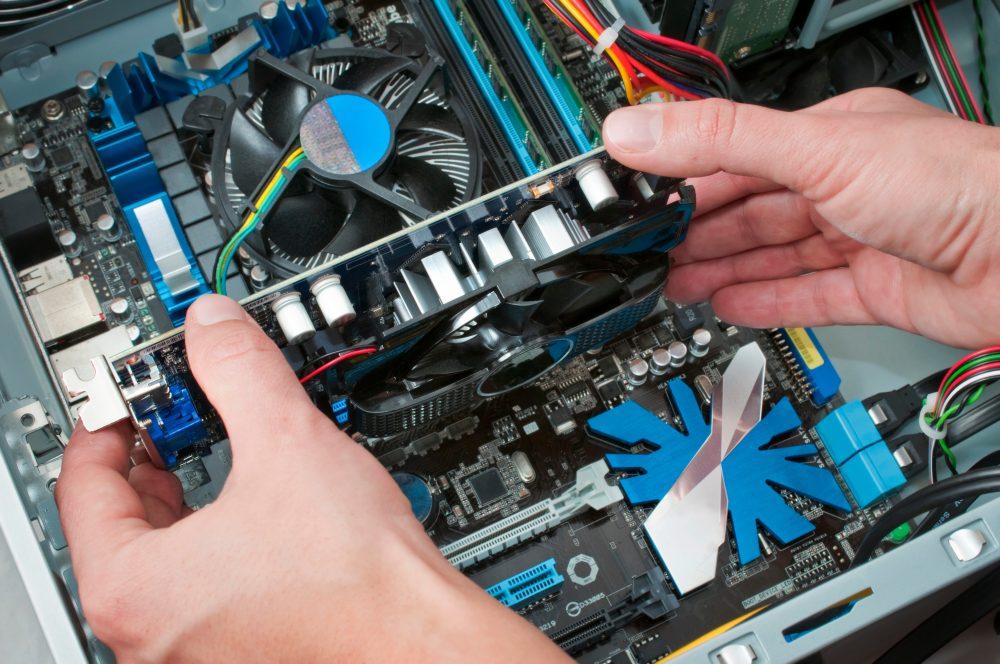
Some motherboard code 15 problems can be fixed at home, while others require technical assistance.
DIY Troubleshooting Benefits
- Lower repair costs
- Faster diagnosis
- Simple hardware fixes
Professional Repair Benefits
- Advanced testing equipment
- Accurate hardware diagnosis
- Safer motherboard repair
Users should choose the method based on technical experience.
FAQ’s
1.What does motherboard code 15 mean?
Motherboard code 15 usually indicates memory initialization or hardware detection problems during the POST process, often related to RAM, BIOS settings, or CPU communication issues.
2.Can faulty RAM cause motherboard code 15?
Yes, defective or improperly installed RAM modules are among the most common causes of motherboard code 15 errors during system startup and memory initialization.
3.How do I fix motherboard code 15 quickly?
Reseating RAM modules, resetting BIOS settings, checking CPU installation, and disabling overclocking are effective methods for fixing motherboard code 15 problems.
4.Does motherboard code 15 always indicate hardware failure?
No, motherboard code 15 does not always mean permanent hardware damage because incorrect BIOS settings or unstable overclocking may also trigger the error.
5.Can updating the BIOS solve motherboard code 15?
Yes, BIOS updates often improve memory compatibility, fix boot-related bugs, and resolve startup issues connected to motherboard code 15 errors.
Conclusion
The motherboard code 15 error is commonly linked to memory initialization, BIOS configuration problems, or hardware communication failures during system startup. Proper troubleshooting methods such as reseating RAM, resetting BIOS settings, checking CPU installation, and disabling unstable overclocking can resolve the issue effectively. Regular hardware maintenance, compatible component selection, and stable system settings help prevent motherboard code 15 errors and improve long-term computer reliability.