Signs Your Motherboard Is Dying- Complete Guide Today
Your computer’s motherboard is the central hub that connects every component, making it one of the most critical parts of your system. When it begins to fail, the symptoms can appear in many different forms, often confusing users. Understanding these signs early can prevent serious damage and data loss. This complete guide explains the major warning signs, causes, and solutions so you can quickly identify whether yourmotherboard is reaching the end of its life.
Learn signs your motherboard is dying with this complete guide. Discover warning symptoms, causes, and solutions to prevent system failure and damage early.
- What Is a Motherboard and Why It Matters
- Early Signs of a Dying Motherboard
- System Instability and Random Crashes
- Hardware Detection Problems
- Overheating and Thermal Issues
- Power-Related Warning Signs
- Physical Signs of Damage
- Audio, Display, and Connectivity Issues
- Performance Decline Over Time
- Causes of Motherboard Failure
- How to Confirm the Problem
- Prevention Tips
- When You Should Replace It
- FAQs
- Conclusion
- Related post
What Is a Motherboard and Why It Matters
The motherboard is the foundation of your computer. It connects all essential hardware components such as the processor, memory, storage drives, and external devices.
Without it, communication between these parts becomes impossible. When a motherboard starts failing, it doesn’t always stop working instantly.
Instead, it creates a range of unusual behaviors that can affect performance, stability, and functionality.
Because every component depends on it, even a small issue in the motherboard can lead to widespread system problems.
Early Signs of a Dying Motherboard
One of the first indications of motherboard failure is trouble during startup. You might notice that your computer takes longer than usual to boot or gets stuck on the BIOS screen. Sometimes, the system may restart repeatedly without loading the operating system.
In other cases, the computer powers on, but nothing appears on the screen. This can be confusing because the fans may still spin, giving the impression that everything is working normally. These early signs are often ignored, but they are critical warnings.
System Instability and Random Crashes
As the motherboard deteriorates, system stability becomes unpredictable. Your computer may freeze randomly, restart without warning, or display blue screen errors.
These crashes can happen during simple tasks like browsing or even while the system is idle.
You may also notice that applications close suddenly or fail to respond. Over time, these issues become more frequent, making the system unreliable. Unlike software problems, these crashes often have no clear pattern or error message.
Hardware Detection Problems
A failing motherboard often struggles to properly communicate with connected hardware. For example, your system might not recognize installed RAM fully, or it may fail to detect your graphics card occasionally.
USB devices might disconnect randomly, and storage drives may disappear from the system.
Even basic peripherals like the keyboard or mouse can stop working intermittently. These issues occur because the motherboard is no longer maintaining stable connections between components.
Overheating and Thermal Issues
Heat is one of the biggest enemies of electronic components. If your motherboard is failing, you might notice unusual temperature increases even when the system is not under heavy load.
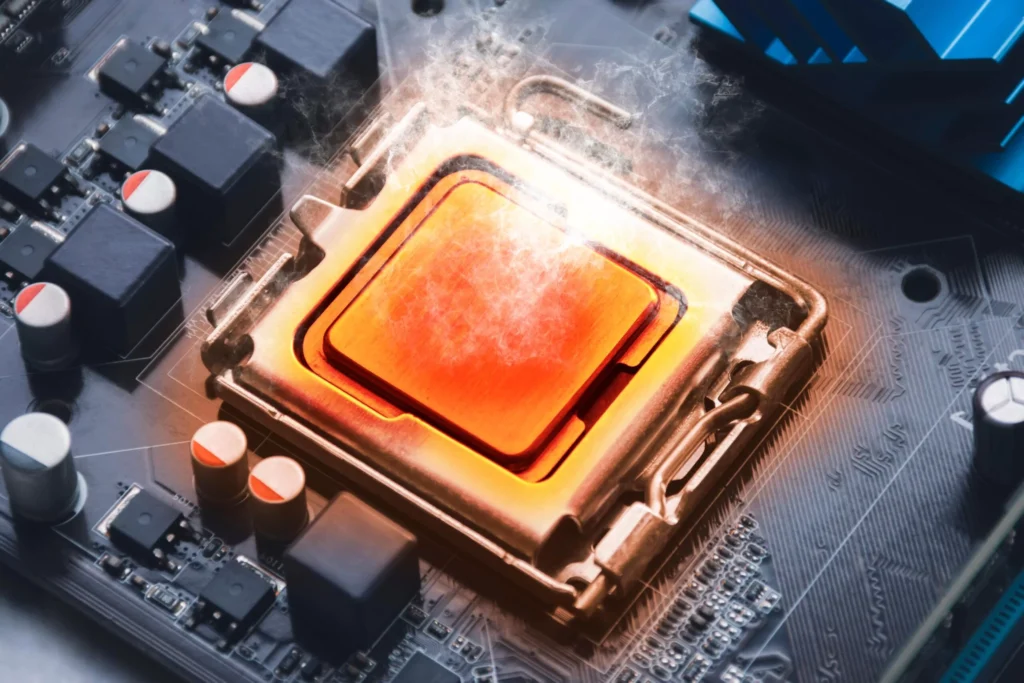
The fans may run at high speed constantly, trying to cool the system. In severe cases, the motherboard may produce a burning smell or cause the system to shut down suddenly to prevent damage. Overheating can accelerate the failure process and damage nearby components.
Power-Related Warning Signs
Power issues are another strong indicator of motherboard failure. The system may fail to turn on completely, or it may shut down suddenly without warning. Sometimes, pressing the power button produces no response at all.
You might also notice flickering lights on the system or repeated power cycling, where the computer turns on and off continuously. These symptoms often point to damaged circuits or faulty power regulation on the motherboard.
Physical Signs of Damage
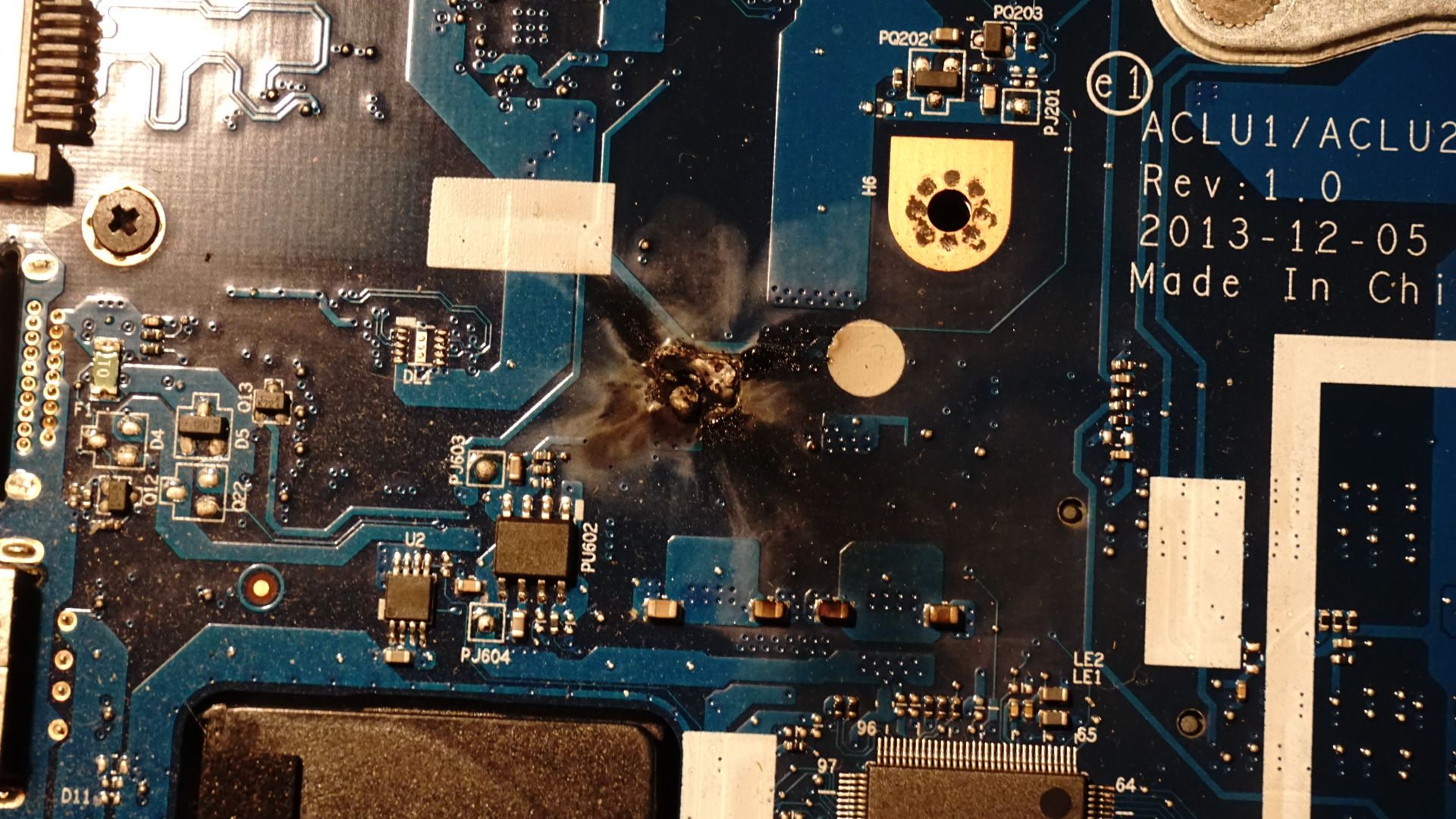
In some cases, the damage is visible. You may see burn marks, swollen capacitors, or discoloration on the motherboard surface. These physical signs indicate serious internal failure.
Dust buildup, moisture exposure, or accidental damage can also contribute to these issues. If you notice any unusual appearance on the board, it is a clear signal that replacement may be necessary.
Audio, Display, and Connectivity Issues
A dying motherboard can affect audio and video output as well. You might experience no sound, distorted audio, or inconsistent display signals. The screen may flicker, go black randomly, or fail to detect the monitor.
Connectivity issues are also common. Internet connections may drop frequently, and USB ports may stop functioning properly.
These problems occur because the motherboard controls all input and output operations.
Performance Decline Over Time
Another major sign is a noticeable drop in performance. Your computer may become slow even when performing basic tasks. Programs take longer to open, and multitasking becomes difficult.

This happens because the motherboard is unable to efficiently manage communication between components. As a result, the entire system feels sluggish and unresponsive.
Causes of Motherboard Failure
Several factors can lead to motherboard failure. Common causes include power surges, overheating, dust accumulation, and poor ventilation. Low-quality power supplies can also damage the motherboard over time.
In some cases, manufacturing defects or simple aging of components can lead to failure. Physical damage, such as dropping the system or exposure to liquids, can also severely affect the motherboard.
How to Confirm the Problem
Before replacing the motherboard, it is important to confirm the issue. You can do this by testing individual components like RAM, GPU, and power supply.
If all other parts work correctly in another system, the motherboard is likely the problem.
Resetting the BIOS or using a minimal hardware setup can also help diagnose the issue. Careful testing ensures you do not replace parts unnecessarily.
Prevention Tips
To extend the life of your motherboard, consider the following:
- Use a high-quality power supply
- Keep your system clean from dust
- Ensure proper airflow and cooling
- Avoid exposing the system to moisture
- Use surge protectors
- Handle components carefully
These simple steps can significantly reduce the risk of failure.
When You Should Replace It
If your system becomes unusable, shows multiple hardware issues, or has visible physical damage, replacement is the best option. Repairing a motherboard is often not practical or cost-effective.
Upgrading to a new motherboard can also improve compatibility and overall system performance.
FAQs
1. Can a failing motherboard damage other components?
Yes, it can send unstable power or signals that may harm connected components like RAM, CPU, and storage devices over time.
2. How long does a motherboard usually last?
Most motherboards last between five to ten years depending on usage, environmental conditions, and overall system maintenance practices.
3. Is it worth repairing a motherboard?
Repairing is only worth it for minor issues, but in most cases replacing the motherboard is more reliable and cost-effective.
4. Can software problems look like motherboard failure?
Yes, software errors and driver issues can mimic hardware failure, which is why proper testing is always necessary before making a decision.
5. How do I confirm my motherboard is dead?
If all components work elsewhere and your system still fails to boot or POST, the motherboard is most likely the cause of failure.
Conclusion
Identifying a failing motherboard early can save your system from serious damage and unnecessary expenses. By understanding the warning signs and taking preventive measures, you can extend your computer’s lifespan. If problems persist despite troubleshooting, replacing the motherboard is often the best solution to restore stability, improve performance, and ensure your system continues running smoothly without unexpected failures.