How Long Do Motherboard Batteries Last Full Guide
Motherboard batteries are small but important components that keep your computer working properly even when it is turned off. They store essential BIOS settings such as system time, date, and hardware configuration. Many users ignore their importance until problems begin to appear. Knowing how long motherboard batteries last and what affects their lifespan helps prevent errors, improves system stability, and ensures your computer runs smoothly without interruptions or technical issues over a longer period of time.
Learn how long do motherboard batteries last, their lifespan, signs of failure, and replacement tips to keep your computer running smoothly and efficiently.
- What is a Motherboard Battery?
- Key Functions of Motherboard Battery
- Why Battery Lifespan Matters
- How Long Do Motherboard Batteries Last?
- Factors That Affect Battery Life
- Types of Motherboard Batteries
- Signs of a Dying Battery
- Features of Motherboard Batteries
- Benefits of a Healthy Battery
- When to Replace the Battery
- How to Replace a Motherboard Battery
- Tips to Extend Battery Life
- Common Myths About CMOS Batteries
- Future of Motherboard Technology
- FAQ’s
- Conclusion
- Related post
What is a Motherboard Battery?
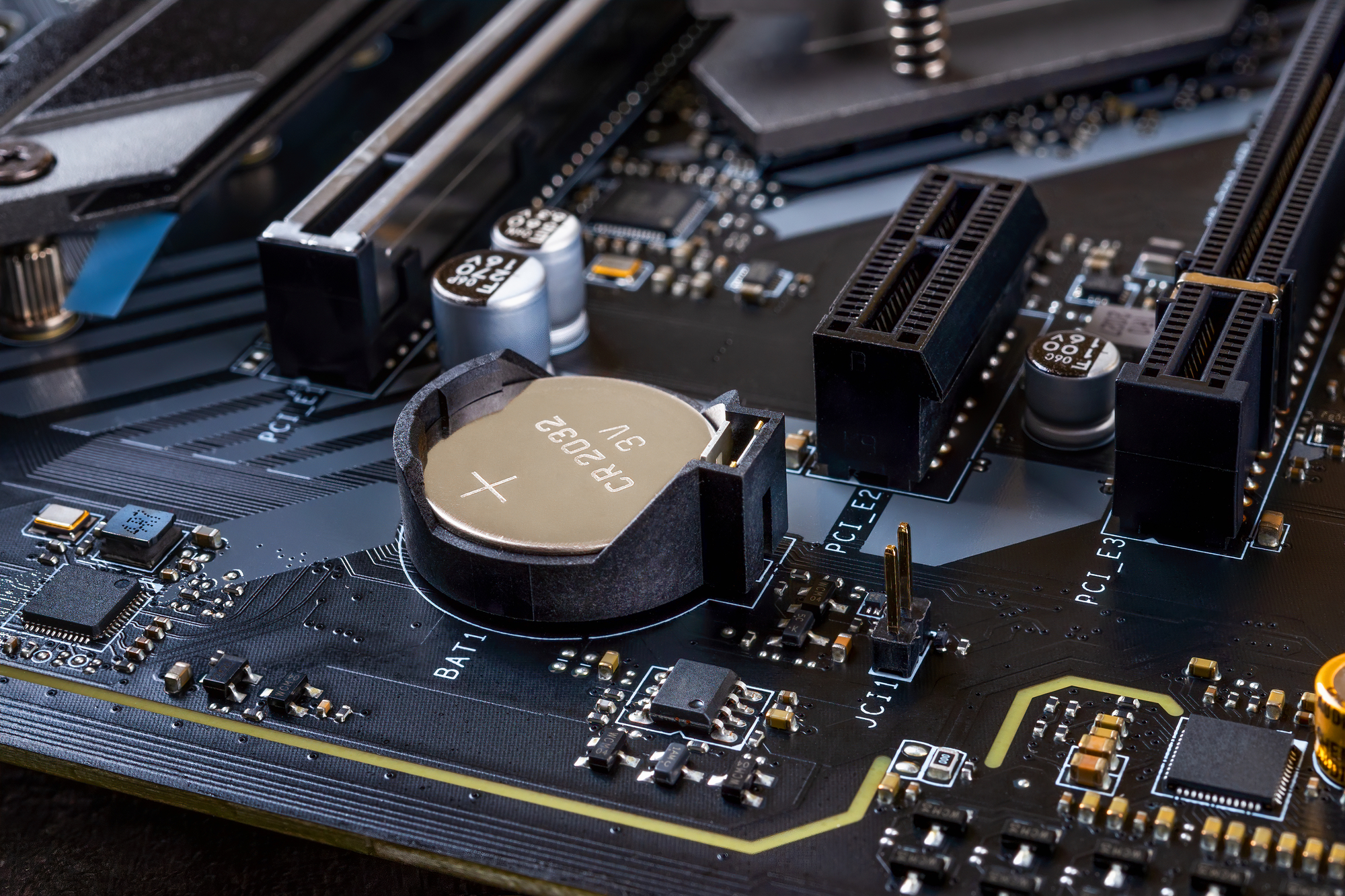
A motherboard battery, also known as a CMOS battery, is a small coin-shaped battery installed on the motherboard. It supplies power to the CMOS chip, which stores BIOS settings.
These settings include system time, boot order, and hardware configuration. Without this battery, your computer would reset these settings every time it shuts down, leading to inconvenience.
Key Functions of Motherboard Battery
The motherboard battery performs several important tasks that help your system run smoothly. It works in the background and ensures your system remembers critical settings.
Some of its main functions include:
- Maintaining system date and time
- Storing BIOS configuration
- Supporting hardware settings
- Ensuring proper system startup
Why Battery Lifespan Matters
The lifespan of a motherboard battery directly affects system stability. When the battery becomes weak, your computer may start showing unusual behavior.
You may experience incorrect time settings, BIOS resets, or boot errors. Knowing its lifespan allows you to replace it before serious issues occur.
How Long Do Motherboard Batteries Last?
In general, motherboard batteries last between 3 to 5 years. However, in ideal conditions, they can last up to 7–10 years.
The lifespan depends on how often the system is used. Computers that remain connected to power for longer periods usually consume less battery, which increases its life.
Factors That Affect Battery Life
Battery life is not fixed and depends on multiple factors. Some systems may experience shorter lifespan due to environmental or usage conditions.
Important factors include:
- Battery quality and brand
- System usage frequency
- Temperature and environment
- Power supply stability
These elements play a major role in determining overall battery performance.
Types of Motherboard Batteries
Most computers use lithium coin-cell batteries, with CR2032 being the most common type. It is widely preferred because it offers better capacity and longer life.
Other types such as CR2025 and CR2016 are also used, but they usually provide less backup time due to lower capacity.
Signs of a Dying Battery
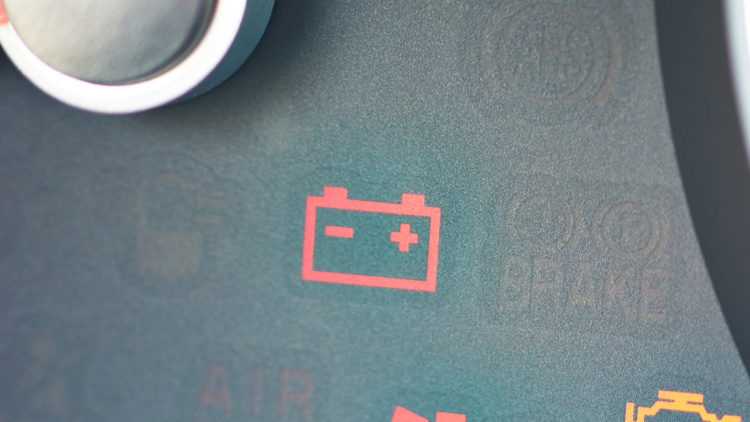
A weak motherboard battery usually shows clear warning signs. Recognizing these early can help you avoid system problems.
Common signs include:
- Incorrect system date and time
- BIOS settings resetting
- Boot-related errors
- System startup issues
If you notice these problems, it is a strong indication that the battery needs replacement.
Features of Motherboard Batteries
Motherboard batteries are designed to be simple, reliable, and long-lasting. Their compact size makes them easy to install and replace.
Some key features are:
- Compact coin-cell design
- Stable 3V power output
- Long-lasting lithium composition
- Low maintenance requirement
These features make them efficient for long-term use.
Benefits of a Healthy Battery
A properly working battery ensures your system operates smoothly without interruptions. It maintains important settings and prevents unnecessary errors.
With a healthy battery, you get better performance and reliability. It also reduces the need for repeated BIOS configuration, saving time and effort.
When to Replace the Battery
It is important to replace the battery at the right time. Waiting too long can cause repeated system issues.
You should consider replacement when:
- System clock resets frequently
- BIOS settings are lost
- Your system is older than 4–5 years
Early replacement helps avoid unexpected problems.
How to Replace a Motherboard Battery
Replacing the battery is a simple process if done carefully.Start by shutting down your computer completely and disconnecting all power cables.
Open the case, locate the battery, and remove it gently. Insert the new battery in the same position, close the case, and restart your system. After that, you may need to adjust BIOS settings.
Tips to Extend Battery Life
You can increase the lifespan of your motherboard battery by following some simple practices.

For better performance:
- Keep your system in a cool place
- Use high-quality batteries
- Avoid long inactive storage
- Maintain stable power supply
These small steps can make a big difference in battery life.
Common Myths About CMOS Batteries
There are several misconceptions about motherboard batteries. Many people believe they only drain when the system is off, but they actually discharge slowly all the time.
Another myth is that all batteries perform the same. In reality, quality and usage conditions greatly affect their lifespan.
Future of Motherboard Technology
Motherboards are becoming more advanced and efficient with modern technology. Future systems may reduce dependence on traditional CMOS batteries.
However, for now, these batteries remain an important part of maintaining system settings and stability.
FAQ’s
1. How long do motherboard batteries last exactly?
Motherboard batteries usually last between three to five years, but in good conditions they can continue working properly for up to ten years.
2. What happens when the CMOS battery dies?
When the battery dies, your system loses BIOS settings, resets time and date, and may show startup errors or configuration issues during boot process.
3. Can I use my PC without a motherboard battery?
Yes, but your computer will reset settings every time it shuts down, causing inconvenience and requiring repeated configuration whenever you restart your system again.
4. Is replacing a motherboard battery difficult?
No, replacing a motherboard battery is simple and usually takes only a few minutes if you follow proper steps and handle components carefully.
5. Which battery is best for motherboards?
CR2032 is the most commonly used and best motherboard battery because it provides longer life, stable voltage, and compatibility with most modern systems.
Conclusion
Motherboard batteries may be small, but they play a vital role in maintaining your computer’s stability and performance. They typically last three to five years, depending on usage and conditions. By understanding their importance, watching for warning signs, and replacing them on time, you can avoid system errors and ensure smooth operation. Proper care helps extend their life and keeps your system reliable.