What Is on the Motherboard in a Computer? A Complete Guide to Motherboard Components
A motherboard is the primary circuit board in a computer that connects and coordinates all major hardware components. It enables communication between the CPU, RAM, storage devices, graphics card, and other essential parts. Without a motherboard, these components cannot work together. If you’re wondering what is on the motherboard in a computer, this guide covers the key motherboard components, their functions, and how they help the system operate smoothly and efficiently.
Discover what is on the motherboard in a computer, including the CPU socket, RAM slots, chipset, BIOS, storage connectors, and their functions.
- What Is a Motherboard in a Computer?
- What Is on the Motherboard in a Computer?
- Main Components Found on a Computer Motherboard
- How Do Motherboard Components Work Together?
- What Are the External Ports on a Motherboard?
- How to Identify Components on a Motherboard
- Why Are Motherboard Components Important?
- FAQ’s
- Conclusion
- Related post
What Is a Motherboard in a Computer?
A motherboard is a printed circuit board (PCB) that provides power and communication pathways for computer hardware.
It houses many critical components and connectors that support the operation of the entire system.
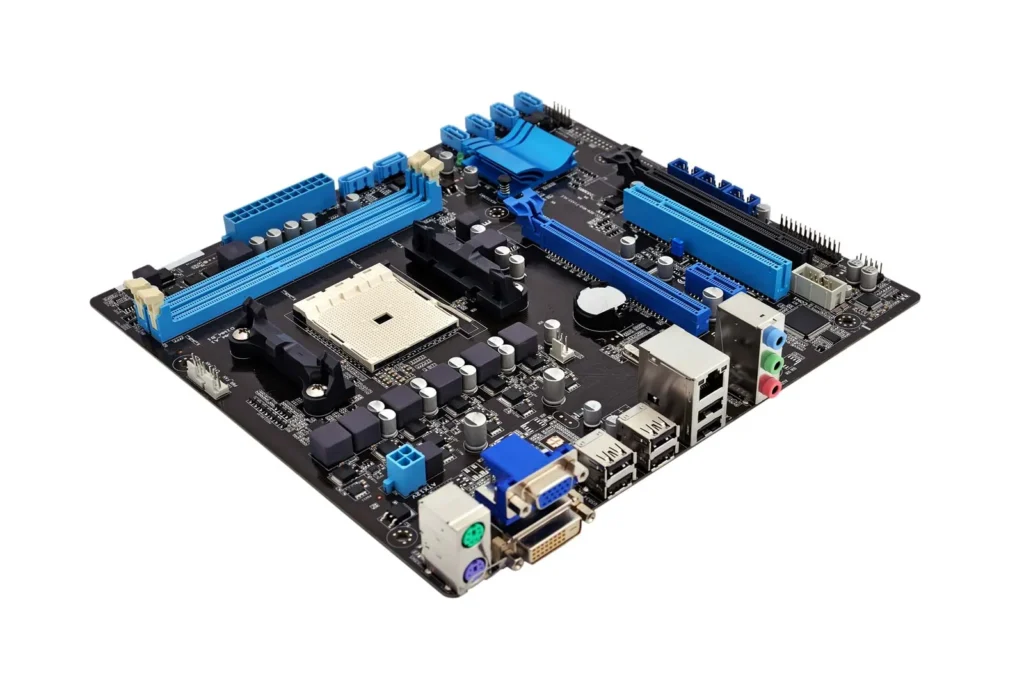
Modern motherboards are designed to accommodate different processors, memory modules, storage devices, and expansion cards.
They also include ports and connectors for peripherals such as keyboards, mice, monitors, and network cables.
What Is on the Motherboard in a Computer?
A computer motherboard contains several important components that work together to process data, manage power, and support hardware communication. The most common motherboard components include:
- CPU Socket
- RAM Slots
- Chipset
- BIOS/UEFI Chip
- PCIe Expansion Slots
- M.2 Slots
- SATA Connectors
- Power Connectors
- CMOS Battery
- USB Headers
- Fan Headers
- Audio Connectors
Each of these components serves a unique purpose and contributes to the overall performance of the computer.
Main Components Found on a Computer Motherboard
CPU Socket
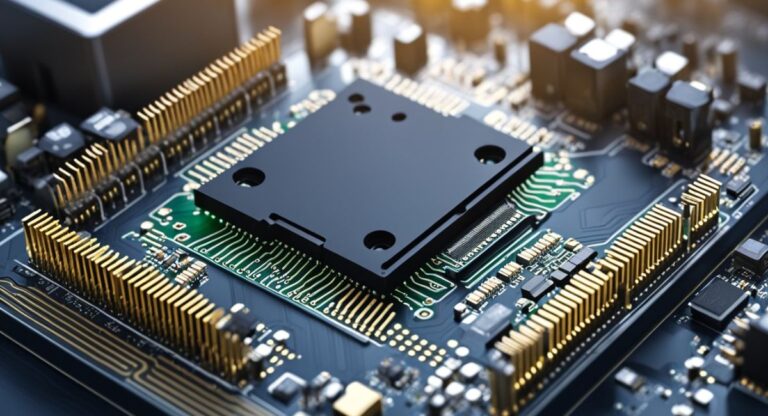
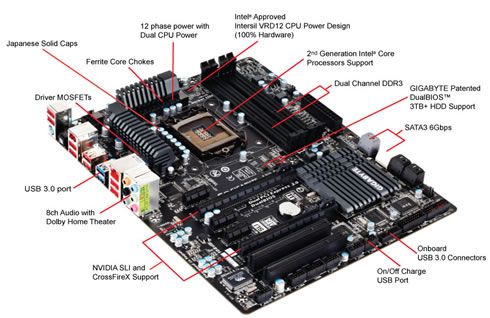
The CPU socket is one of the most important parts of a motherboard. It is the location where the Central Processing Unit (CPU) is installed.
The socket provides electrical connections between the processor and the motherboard, allowing the CPU to communicate with other components.
Different processors require different socket types, so compatibility is an important factor when selecting a motherboard.
RAM Slots
RAM slots are designed to hold memory modules. Random Access Memory (RAM) stores temporary data that the CPU needs for active tasks.
More RAM generally allows a computer to handle multitasking more efficiently and improve overall responsiveness.
Chipset
The chipset acts as a traffic controller for the motherboard. It manages communication between the CPU, RAM, storage devices, and expansion cards. The chipset also determines which features and technologies a motherboard supports.
BIOS or UEFI Chip
The BIOS (Basic Input/Output System) or modern UEFI firmware is responsible for initializing hardware during startup. It performs system checks and loads the operating system when the computer is powered on.
PCIe Expansion Slots
PCIe (Peripheral Component Interconnect Express) slots allow users to install expansion cards such as:
- Graphics cards
- Sound cards
- Network adapters
- Capture cards
These slots provide high-speed communication between the motherboard and installed hardware.
M.2 Slots
Many competitors overlook M.2 slots, but they are essential in modern computers. These slots support high-speed NVMe SSDs, which are significantly faster than traditional storage devices.
SATA Connectors
SATA ports connect storage devices such as hard disk drives (HDDs) and solid-state drives (SSDs). They allow the motherboard to transfer data between storage devices and the rest of the system.
Power Connectors
The motherboard includes power connectors that receive electricity from the power supply unit (PSU). These connectors distribute power to the CPU, RAM, storage devices, and other components.
CMOS Battery
The CMOS battery stores important system settings, including date, time, and BIOS configurations. Even when the computer is turned off, the battery helps preserve these settings.
USB Headers
USB headers connect the front USB ports of a computer case to the motherboard, allowing users to easily connect external devices.
Fan Headers
Fan headers provide power and control signals for cooling fans. Proper cooling is essential for maintaining stable performance and preventing overheating.
Audio Connectors
The motherboard includes audio headers and circuits that enable sound input and output functionality for speakers, headphones, and microphones.
How Do Motherboard Components Work Together?
Every component on the motherboard performs a specific role, but they work together as a complete system.
When you open a program, the CPU processes instructions while the RAM stores active data. The chipset manages communication between these components, while the storage drive retrieves necessary files.
Power connectors ensure all hardware receives electricity, and cooling systems prevent excessive heat buildup.
This coordinated operation allows the computer to perform tasks quickly and efficiently.
What Are the External Ports on a Motherboard?
The rear panel of a motherboard includes several ports used to connect external devices.
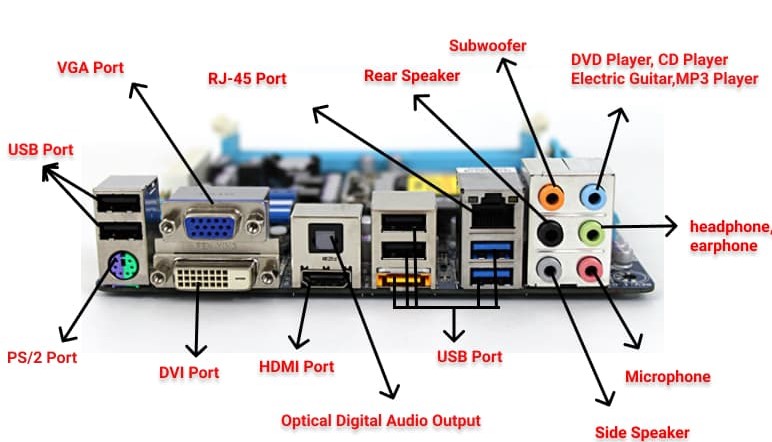
Common motherboard ports include:
- USB Ports
- HDMI Port
- DisplayPort
- Ethernet Port
- Audio Jacks
- PS/2 Ports (on some models)
These ports allow users to connect monitors, keyboards, mice, speakers, printers, and networking equipment.
How to Identify Components on a Motherboard
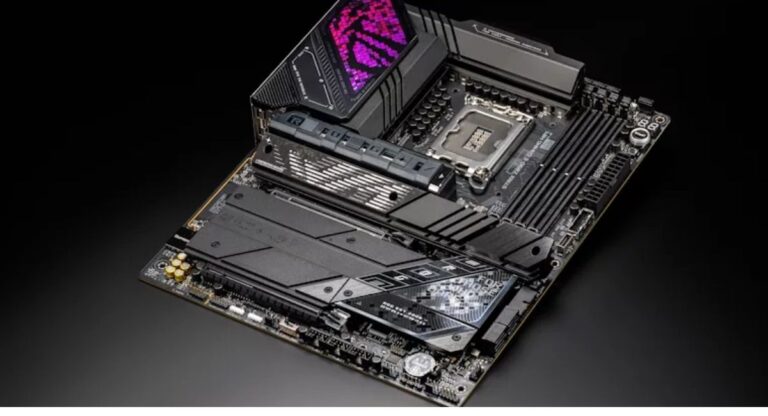
If you are looking at a motherboard for the first time, identifying components may seem difficult. Start by locating the large CPU socket near the center. Nearby, you will find the RAM slots. The PCIe slots are long expansion slots usually positioned below the processor area.
Storage connectors such as M.2 slots and SATA ports are generally located toward the edges of the board. The CMOS battery is typically a small silver coin-shaped battery that is easy to recognize.
Understanding the motherboard layout can make troubleshooting, upgrades, and maintenance much easier.
Why Are Motherboard Components Important?
Every motherboard component contributes to the computer’s functionality. If one critical component fails, the entire system may experience instability or stop working altogether.
The motherboard ensures:
- Efficient communication between hardware
- Stable power distribution
- Reliable data transfer
- Support for upgrades and expansion
- System performance and stability
For this reason, the motherboard is often considered the backbone of a computer.
FAQ’s
1.What is the most important component on a motherboard?
The CPU socket is often considered the most important component because it houses the processor, which performs calculations and executes instructions. However, the motherboard relies on all components working together to function properly.
2.How many components are on a motherboard?
A modern motherboard can contain dozens of components, including the CPU socket, RAM slots, chipset, BIOS chip, PCIe slots, M.2 slots, SATA connectors, and various ports and headers.
3.What is the function of a motherboard in a computer?
The primary function of a motherboard is to connect all hardware components and enable communication between them. It also distributes power and supports data transfer throughout the system.
4.What is the difference between a CPU and a motherboard?
A CPU is the processor that performs calculations and executes tasks, while the motherboard is the main circuit board that connects the CPU to memory, storage devices, and other hardware components.
5.Can a computer run without a motherboard?
No. A computer cannot operate without a motherboard because it provides the connections and communication pathways required for all hardware components to work together.
Conclusion
Understanding what is on the motherboard in a computer helps you learn how different hardware components work together. Key parts such as the CPU socket, RAM slots, chipset, BIOS, and storage connectors are essential for performance and communication. Whether you’re building, upgrading, or learning about PCs, knowing these components can help you better understand and maintain your computer.