Will E ATX Motherboard Fit in ATX Case Complete Guide
Choosing the right motherboard and case combination is essential when building a computer, especially for performance and compatibility.
Many users wonder whether an E ATX motherboard can fit inside a standard ATX case. This question is important because incorrect pairing can lead to installation issues and poor airflow.
In this article, you will learn in detail about E ATX and ATX compatibility, size differences, practical considerations, and how to ensure your build works smoothly without unnecessary complications.
Will E ATX Motherboard Fit in ATX Case Complete Guide learn compatibility, size differences, installation tips, and how to choose the right PC case.
- Understanding Motherboard Form Factors
- What Is an E ATX Motherboard
- What Is an ATX Case
- Will an E ATX Motherboard Fit in an ATX Case
- Physical Size Limitations
- Mounting and Alignment Considerations
- Impact on Cable Management
- Airflow and Cooling Challenges
- Compatibility with Other Components
- When an ATX Case Can Support E ATX
- Advantages of Using an E ATX Motherboard
- Disadvantages of Forcing Compatibility
- Tips for Ensuring Proper Fit
- FAQs
- Conclusion
Understanding Motherboard Form Factors
Motherboard form factors define the physical size, mounting points, and layout of a motherboard.
These standards ensure compatibility between cases and motherboards. The most common form factors include ATX, Micro ATX, Mini ITX, and Extended ATX, often referred to as E ATX.
ATX is the standard size used in most desktop builds, offering a balance between features and compatibility.
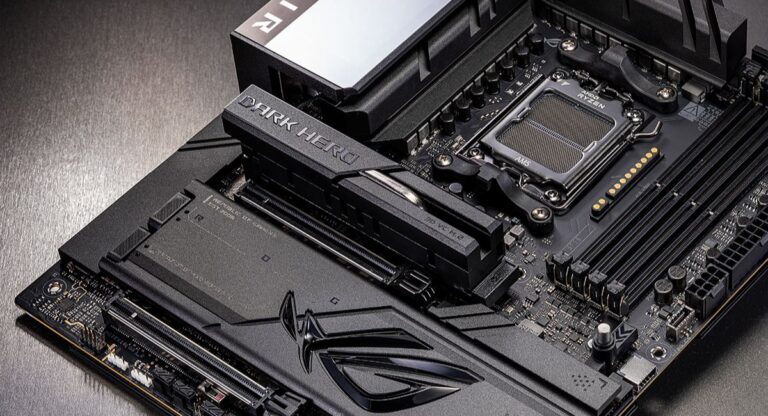
E ATX is a larger version designed for high-end systems that require more components, such as additional RAM slots and expansion cards.
Understanding these form factors is the first step in determining whether an E ATX motherboard can fit into an ATX case.
What Is an E ATX Motherboard
An E ATX motherboard is larger than a standard ATX board. While ATX typically measures around 12 by 9.6 inches, E ATX boards can extend up to 12 by 13 inches or slightly more depending on the manufacturer.
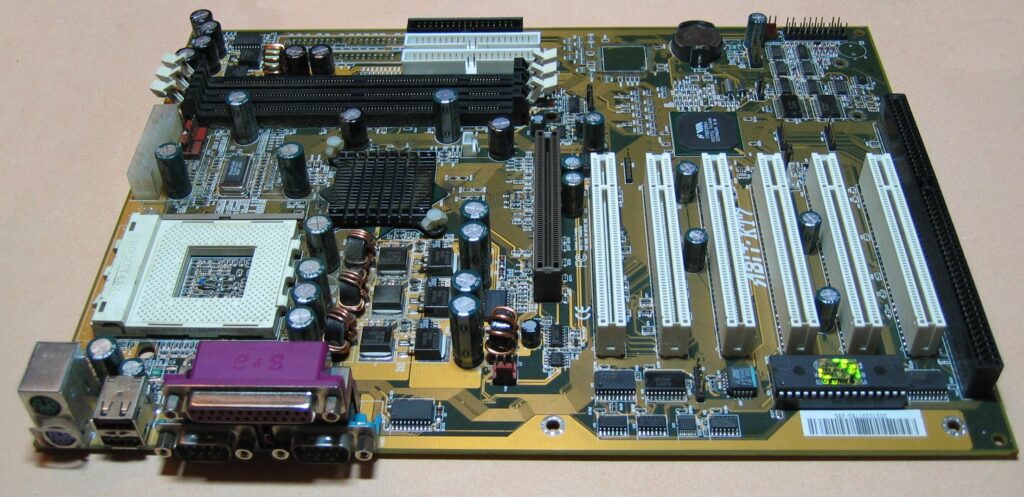
This extra width allows for more features, including additional PCIe slots, more RAM capacity, and better power delivery systems.
E ATX boards are often used in high-performance gaming systems, workstations, and servers.
However, the increased size also creates compatibility challenges when pairing with standard cases.
What Is an ATX Case
An ATX case is designed to support standard ATX motherboards. These cases are widely available and come in various sizes, including mid-tower and full-tower designs.
ATX cases include mounting points and space specifically aligned with ATX dimensions. While many modern ATX cases offer some flexibility, they are not always guaranteed to support larger motherboard sizes like E ATX.
The internal layout, cable management space, and airflow design all influence whether a larger motherboard can fit comfortably.
Will an E ATX Motherboard Fit in an ATX Case
The short answer is that it depends on the specific case. Some ATX cases can accommodate E ATX motherboards, while others cannot.
Many modern mid-tower ATX cases are designed with extra space and may support E ATX boards up to a certain width. However, this support is not universal. Some cases only support standard ATX dimensions, making it impossible to install a larger motherboard.
Even if the motherboard physically fits, there may be limitations such as blocked cable management areas or reduced airflow. Therefore, checking the case specifications is essential before making a decision.
Physical Size Limitations
The primary issue when fitting an E ATX motherboard into an ATX case is width. E ATX boards extend further to the right side, which can interfere with cable routing holes and internal components.

In some cases, the motherboard may overlap with cable management cutouts, making it difficult to route cables cleanly. This can lead to cluttered builds and restricted airflow.
Additionally, larger motherboards may come close to drive bays or cooling components, further complicating installation.
Mounting and Alignment Considerations
Mounting points are another important factor. ATX cases are designed with standoff positions that match ATX motherboards. While many E ATX boards share similar mounting points, not all of them align perfectly.
This can result in some areas of the motherboard not being properly supported. Lack of proper support may lead to instability or potential damage over time.
Ensuring that the case includes compatible mounting options for E ATX boards is crucial for a secure installation.
Impact on Cable Management
Cable management becomes more challenging when using an E ATX motherboard in an ATX case. The extra width can cover cable routing holes, making it harder to organize cables neatly.
Poor cable management not only affects the appearance of the build but also impacts airflow. Restricted airflow can lead to higher temperatures and reduced performance.
Choosing a case with sufficient space behind the motherboard tray can help mitigate these issues.
Airflow and Cooling Challenges
Airflow is a critical aspect of any computer build. E ATX motherboards, due to their size, can restrict airflow in smaller ATX cases.
Components may be placed closer together, reducing the space available for air circulation. This can result in higher temperatures, especially during heavy usage such as gaming or rendering.
Proper cooling solutions, including additional fans or liquid cooling systems, can help maintain optimal temperatures even in tighter spaces.
Compatibility with Other Components
Using an E ATX motherboard in an ATX case can also affect compatibility with other components. Graphics cards, storage drives, and cooling systems may have limited space due to the larger motherboard.
Long graphics cards may come close to the front of the case, while large CPU coolers may interfere with side panels or other components. These constraints require careful planning when selecting hardware.
Ensuring that all components fit together without obstruction is essential for a successful build.
When an ATX Case Can Support E ATX
Some ATX cases are designed with flexibility in mind and explicitly state support for E ATX motherboards. These cases usually offer extra width and additional mounting options.
Full-tower cases are more likely to support E ATX boards compared to mid-tower cases. They provide more internal space, better airflow, and improved cable management options.
Checking the manufacturer’s specifications is the most reliable way to confirm compatibility.
Advantages of Using an E ATX Motherboard
E ATX motherboards offer several advantages, particularly for high-performance systems. They provide more expansion slots, allowing for multiple GPUs or additional cards.
They also support higher RAM capacities, making them ideal for demanding applications. Enhanced power delivery systems improve stability, especially for overclocking.
These benefits make E ATX boards attractive for enthusiasts and professionals who require maximum performance.
Disadvantages of Forcing Compatibility
Trying to fit an E ATX motherboard into a case that does not support it can lead to several issues. Installation may become difficult, and components may not align properly.

Poor airflow and cable management can negatively affect system performance and longevity. In some cases, physical damage to components may occur due to improper fitting.
It is always better to choose compatible hardware rather than forcing a setup that may cause problems later.
Tips for Ensuring Proper Fit
Before purchasing a motherboard or case, it is important to check specifications carefully. Look for information about supported motherboard sizes in the case documentation.
Measure available space inside the case and compare it with the motherboard dimensions. Reading user reviews and build guides can also provide practical insights.
Taking these steps helps avoid compatibility issues and ensures a smooth building experience.
FAQs
1.Can all ATX cases support E ATX motherboards
Not all ATX cases support E ATX motherboards, as compatibility depends on the case design, internal space, and manufacturer specifications for supported motherboard sizes.
2.Is E ATX better than ATX for gaming
E ATX is not necessarily better for gaming, but it offers more features and expansion options, which can benefit high-end gaming systems and advanced setups.
3.Will using E ATX affect airflow
Yes, using an E ATX motherboard in a smaller case can restrict airflow, especially if space becomes limited and components are placed too closely together.
4.Do I need a full tower case for E ATX
A full tower case is often recommended for E ATX motherboards because it provides enough space, better airflow, and easier cable management compared to smaller cases.
5.Can I modify my ATX case to fit E ATX
Modifying an ATX case is possible but not recommended, as it can damage the case, void warranties, and create safety risks during installation and long-term use.
Conclusion
An E ATX motherboard can fit in an ATX case only if the case is designed to support larger dimensions. Compatibility depends on space, mounting points, and airflow considerations. Choosing the right combination ensures a smooth building process and optimal performance. Always check specifications carefully to avoid issues and create a reliable, efficient, and well-organized computer system that meets your needs.