NC Secretary of State Business Lookup- Complete Guide to Search North Carolina Businesses
The NC Secretary of State Business Lookup is one of the most useful tools available for entrepreneurs, investors, attorneys, contractors, and consumers who need reliable information about companies registered in North Carolina. Whether you want to verify a business, check name availability, research competitors, or conduct due diligence before signing an agreement, the state’s online database provides quick access to official records.
This guide explains how the NC Secretary of State business search works, what information you can find, and how to use it effectively to make informed business decisions.
Use the NC Secretary of State Business Lookup to verify companies, check business status, search LLCs, review filings, and confirm name availability.
- What Is the NC Secretary of State Business Lookup?
- Why Use the NC Secretary of State Business Search?
- How to Perform an NC Secretary of State Business Lookup
- Information Available in Business Records
- How to Check Business Name Availability
- Searching for DBA Records
- Downloading Annual Reports and Business Filings
- Red Flags to Watch for During Business Research
- Frequently Asked Questions
- Final Thoughts
- Related post
What Is the NC Secretary of State Business Lookup?
The North Carolina Secretary of State maintains a public business search portal that allows users to access records of businesses registered within the state. The database includes information about:
- Limited Liability Companies (LLCs)
- Corporations
- Nonprofit Organizations
- Limited Partnerships
- Limited Liability Partnerships
- Professional Associations
- Foreign entities authorized to operate in North Carolina
The search tool is free to use and helps improve transparency by allowing anyone to verify whether a company is legally registered and operating in compliance with state requirements.
Why Use the NC Secretary of State Business Search?

Business searches are valuable for many reasons.
Verify Business Legitimacy
Before hiring a contractor, partnering with a company, or purchasing products from a supplier, it is wise to confirm that the business is properly registered with the state. An active status generally indicates that the company has met its filing obligations.
Check Business Name Availability
Entrepreneurs frequently search the database to determine whether a desired business name is already in use. Performing a search before filing formation documents can help avoid delays and rejected applications.
Research Competitors
Business owners often review competitor records to learn about:
- Formation dates
- Entity structures
- Filing histories
- Registered agents
- Annual report activity
This information can provide useful insights into market trends and business longevity.
Conduct Due Diligence
Investors, lenders, attorneys, and compliance professionals use business searches to evaluate legal standing, confirm registrations, and identify potential risks before entering into agreements.
How to Perform an NC Secretary of State Business Lookup
Searching for a business entity is straightforward.
Search by Business Name
Entering the exact legal business name usually provides the most accurate results. If the full name is unknown, partial searches can help identify similar entities.
Search by SOS ID Number
Each registered business receives a unique SOS ID number. Searching by this number often provides the fastest way to locate a specific company.
Search by Registered Agent
If you know the name of a company’s registered agent, you can search for businesses associated with that individual or organization.
Search by Company Official
North Carolina also allows users to search by company officers and officials, which can be useful when researching ownership connections.
Information Available in Business Records
The database contains a variety of public records that can help users better understand a company’s background.
Business Status
Common statuses include:
Active – The business is currently authorized to operate.
Dissolved – The company has legally ceased operations.
Suspended – The entity may have failed to meet compliance requirements.
Withdrawn – Foreign entities may voluntarily withdraw their authority to conduct business in North Carolina.
Administrative Dissolution – Occurs when businesses fail to maintain compliance, such as missing annual report deadlines.
Registered Agent Information
Most businesses must maintain a registered agent who accepts legal notices on behalf of the company.
Records often include:
- Agent name
- Mailing address
- Physical office address
Filing History
Business records may contain:
- Articles of Organization
- Articles of Incorporation
- Annual Reports
- Amendments
- Merger Documents
- Dissolution Filings
Reviewing these documents can reveal changes in ownership, structure, or business operations.
How to Check Business Name Availability
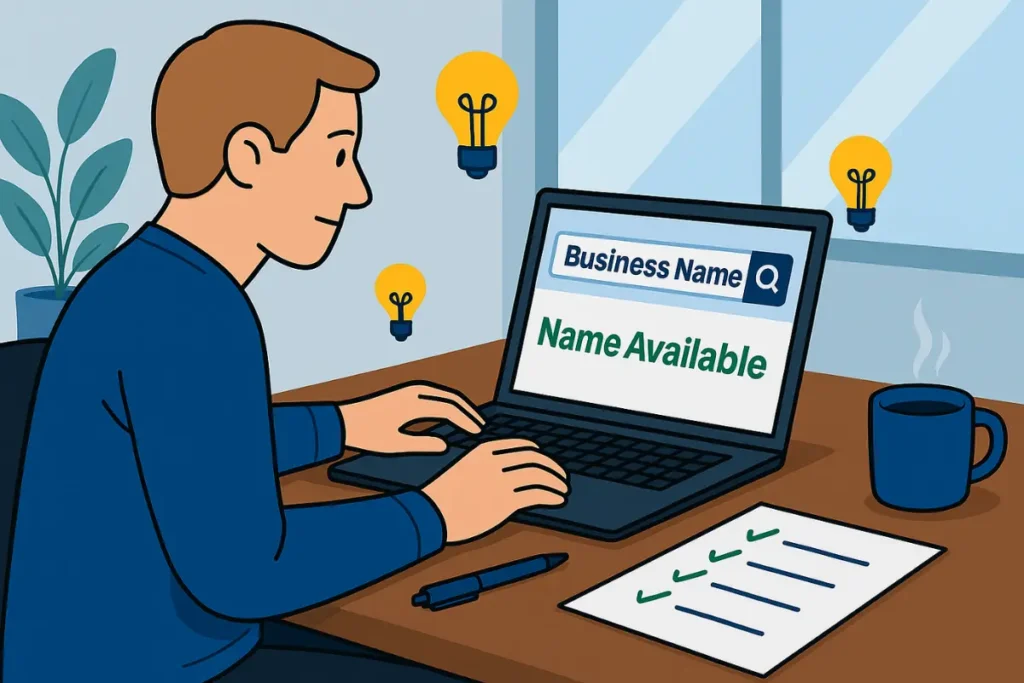
One of the most common uses of the business lookup tool is checking whether a desired business name is available.
Before forming an LLC or corporation, search the database using the proposed name. If no confusingly similar names appear, the name may be available for registration. Conducting this search early can save time and prevent filing rejections.
Searching for DBA Records
Businesses operating under assumed names, commonly known as DBAs, may not always appear in the Secretary of State database.
Many assumed business names are filed at the county level through local Register of Deeds offices. Checking these records provides a more complete picture when researching a business.
Downloading Annual Reports and Business Filings
Many entities allow users to view or download filed documents directly from their profiles.
Reviewing annual reports can help determine whether a business remains compliant and actively maintained. Historical filings may also provide insights into significant business changes over time.
Red Flags to Watch for During Business Research
When evaluating a company, pay attention to warning signs such as:
- Administrative dissolution
- Missing annual reports
- Multiple dissolved entities connected to the same individuals
- Inconsistent addresses
- Limited online presence
- Negative customer reviews
Identifying these issues early may help reduce financial and legal risks.
Using the database regularly allows business owners and consumers to stay informed, maintain compliance, and make smarter decisions when working with companies throughout North Carolina.
Frequently Asked Questions
1.Is the NC Secretary of State Business Lookup free to use?
Yes, the North Carolina Secretary of State business search database is free for the public to access, although certified copies of certain documents may require a fee.
2.Can I search for a business using the owner’s name?
You can search using company officials’ names and registered agent information, but individual ownership details may not always be publicly available.
3.How often is North Carolina business information updated?
Business records are typically updated after filings are processed by the Secretary of State, and processing times may vary based on filing volume.
4.Can I download annual reports and business documents?
Yes, many entities provide access to annual reports, formation documents, amendments, and other filings directly through their business profiles.
5.What should I do if a business shows an inactive status?
Review the company’s filing history and status details to determine whether it was voluntarily dissolved, administratively dissolved, suspended, or withdrawn before making any business decisions.
Final Thoughts
The NC Secretary of State Business Lookup is a valuable resource for verifying companies, checking business names, researching competitors, and conducting due diligence. Whether you are starting a new business, investing in an existing company, or simply confirming a contractor’s legitimacy, taking a few minutes to review official records can provide peace of mind and help prevent costly mistakes.