Motherboard Form Factors Explained- Complete Guide
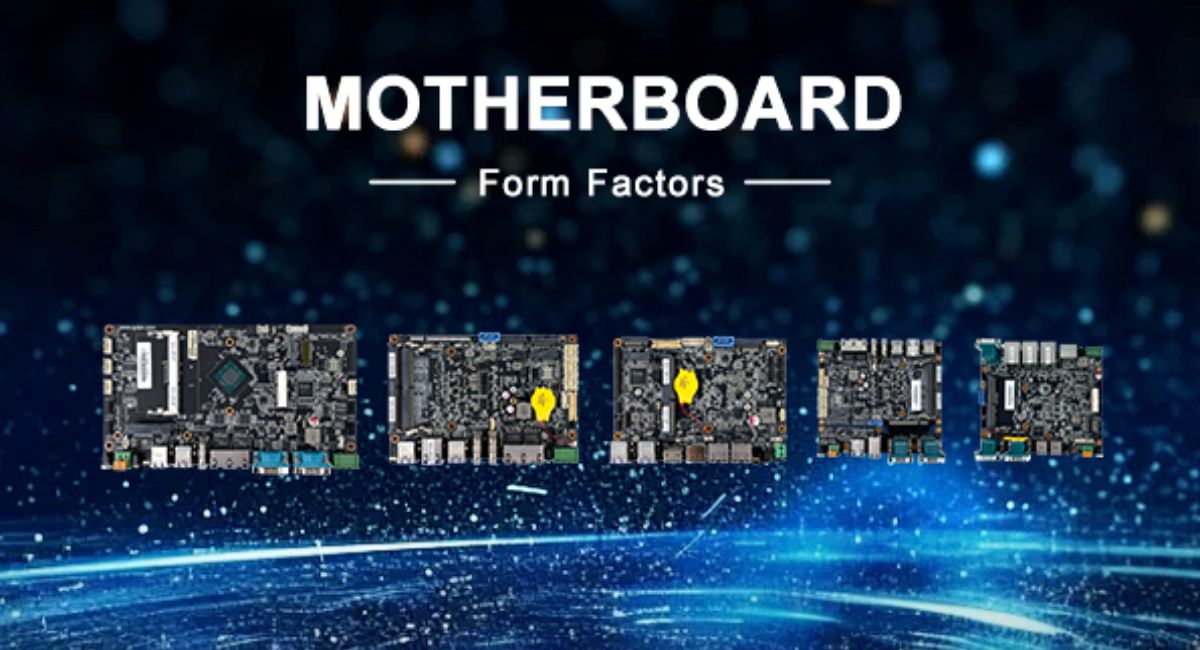
Motherboard form factors define the size, shape, layout, and compatibility standards of a motherboard inside a computer system. They control how components like CPU, RAM, GPU, storage, and cooling systems are arranged and how the board fits into a PC case. Choosing the right form factor is important because it affects performance, upgrade options, airflow, and system stability. In this guide, you will learn the main motherboard form factors, their features, benefits, limitations, and selection tips.
Learn about motherboard form factors, their types, features, and uses. Understand ATX, Micro-ATX, Mini-ITX, and E-ATX for better PC building decisions.
- What Are Motherboard Form Factors?
- Why Motherboard Form Factors Matter
- Types of Motherboard Form Factors
- ATX Motherboards
- Micro-ATX Motherboards
- Mini-ITX Motherboards
- E-ATX Motherboards
- Comparison of Motherboard Form Factors
- How to Choose the Right Motherboard Form Factor
- Benefits of Motherboard Form Factors
- FAQ’s
- Conclusion
- Related post
What Are Motherboard Form Factors?
Motherboard form factors are standardized design specifications that define the structure and layout of a motherboard.
These standards ensure that hardware components from different manufacturers can work together properly and fit into compatible PC cases.
A form factor controls the size of the motherboard, the placement of components, screw hole positions, and expansion slot layout.
It also ensures that the power supply and cooling system align correctly with the motherboard design. Without these standards, building a compatible computer system would be very difficult and inconsistent.
Why Motherboard Form Factors Matter
Motherboard form factors play a major role in determining how a PC performs and how flexible it is for future upgrades.
The size and layout of a motherboard directly impact how many components you can install and how efficiently the system runs.
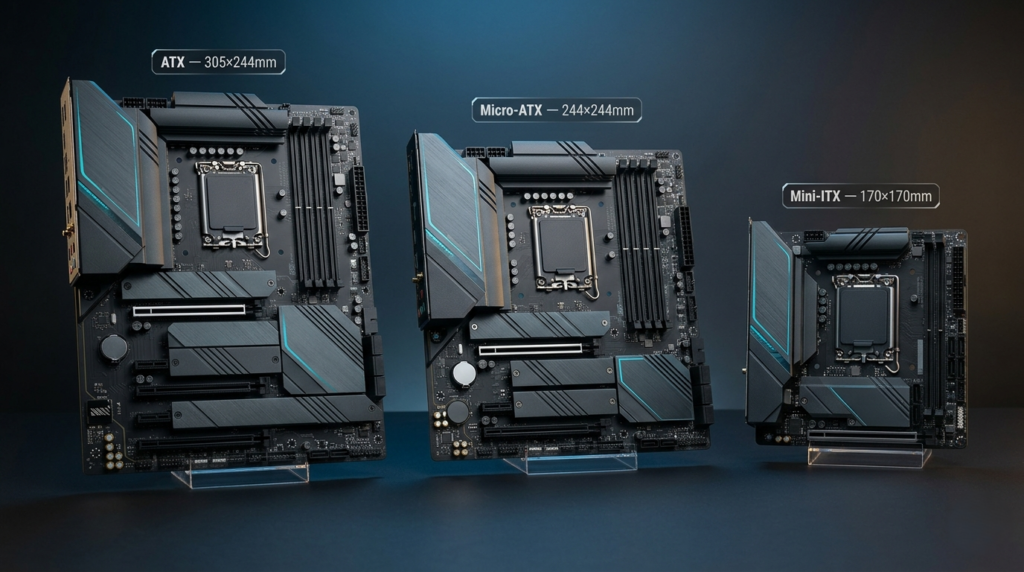
A larger form factor usually provides more expansion slots, better airflow, and higher upgrade potential, while smaller form factors focus on compact design and portability.
This means your choice affects not only performance but also system size, cooling efficiency, and long-term usability.
Understanding form factors helps you avoid compatibility issues and ensures you build a system that matches your performance and budget needs.
Types of Motherboard Form Factors
Motherboard form factors come in different sizes, each designed for specific use cases. The most common types include ATX, Micro-ATX, Mini-ITX, and E-ATX.
ATX Motherboards
ATX (Advanced Technology eXtended) is the most widely used standard motherboard form factor for desktop computers. It offers a balanced combination of performance, expansion, and compatibility.
ATX motherboards are designed with multiple RAM slots, PCIe expansion slots, and strong power delivery systems, making them ideal for high-performance systems.
Advantages
- Excellent upgrade flexibility
- Supports powerful graphics cards and expansion hardware
- Better airflow and cooling options
- Highly compatible with most PC cases
Disadvantages
- Requires a large PC case
- Not suitable for compact builds
- Takes more physical space
ATX is commonly used in gaming PCs, content creation systems, and professional desktops where performance and expandability are important.
Micro-ATX Motherboards
Micro-ATX (mATX) is a smaller version of ATX designed to provide a balance between performance and affordability. It is widely used in budget and mid-range systems.
Micro-ATX boards offer fewer expansion slots than ATX but still support most essential components needed for everyday computing and gaming.
Advantages
- More affordable than ATX
- Compact yet still powerful
- Compatible with most PC cases
- Good balance of performance and size
Disadvantages
- Limited expansion slots
- Fewer upgrade options compared to ATX
- Slightly reduced flexibility
Micro-ATX is ideal for budget gaming PCs, office systems, and general home use computers.
Mini-ITX Motherboards
Mini-ITX is the smallest mainstream motherboard form factor designed for compact and space-saving PC builds. Despite its small size, it can still support powerful components.
Mini-ITX motherboards are designed for users who prioritize portability and minimal space usage over expansion capability.
Advantages
- Extremely compact design
- Ideal for small and portable systems
- Low power consumption
- Clean and minimal builds
Disadvantages
- Very limited upgrade options
- Only one PCIe slot in most cases
- Heat management challenges
- Higher cost per feature
Mini-ITX is commonly used in small gaming PCs, HTPCs (home theater PCs), and portable setups.
E-ATX Motherboards
E-ATX (Extended ATX) is a larger and more powerful version of ATX designed for high-end professional and workstation systems.
E-ATX motherboards offer additional space for more RAM slots, PCIe lanes, and advanced power delivery systems, making them suitable for heavy workloads.
Advantages
- Maximum performance capability
- Excellent expandability and scalability
- Strong support for high-end hardware
- Ideal for professional workloads
Disadvantages
- Expensive compared to other form factors
- Requires large super-tower cases
- Not suitable for budget builds
E-ATX is used in AI systems, 3D rendering workstations, servers, and high-performance professional setups.
Comparison of Motherboard Form Factors
| Form Factor | Size | Expansion | Cost | Best For |
| ATX | Large | High | Medium | Gaming & Workstations |
| Micro-ATX | Medium | Medium | Low | Budget PCs |
| Mini-ITX | Small | Low | Medium-High | Compact Builds |
| E-ATX | Very Large | Very High | High | Professional Systems |
How to Choose the Right Motherboard Form Factor
Choosing the right motherboard depends on your usage needs, budget, and future upgrade plans.
If you want maximum performance and upgrade flexibility, ATX is the best choice. If you need a balance between performance and cost, Micro-ATX is ideal.
For compact and space-saving builds, Mini-ITX is the right option. However, if you are building a high-end workstation or professional system, E-ATX offers the highest performance and expansion capability.
Benefits of Motherboard Form Factors
Understanding motherboard form factors helps in making smarter PC building decisions. It ensures better compatibility between components, improves system airflow, and supports long-term upgrade planning.
It also helps users choose the right case size, avoid hardware mismatch issues, and build systems that are efficient, stable, and future-ready.
FAQ’s
1.What is a motherboard form factor?
A motherboard form factor is a standardized design that defines the size, layout, and compatibility of a motherboard with computer cases and hardware components.
2.Which motherboard form factor is best for gaming?
ATX is best for gaming because it offers more expansion slots, better cooling options, and strong upgrade flexibility for high-performance graphics cards and components.
3.Is Mini-ITX good for performance builds?
Mini-ITX can support high-performance hardware, but it has limited expansion, cooling, and upgrade options, making it better for compact builds rather than extreme systems.
4.What is the difference between ATX and Micro-ATX?
ATX is larger and offers more expansion slots and upgrade options, while Micro-ATX is smaller, more affordable, and designed for balanced everyday computing needs.
5.Why are motherboard form factors important?
Motherboard form factors are important because they define compatibility, system size, cooling efficiency, upgrade options, and overall PC building flexibility for different user needs.
Conclusion
Motherboard form factors are a core part of any computer system because they determine how hardware is arranged, how much a system can be upgraded, and how efficiently it performs. From compact Mini-ITX systems to powerful E-ATX workstations, each form factor serves a different purpose. Understanding them helps you build a stable, efficient, and future-proof PC according to your requirements.