ATX and Micro ATX Motherboards – Complete Guide for PC Builds
If you are planning to build or upgrade a PC, understanding ATX and Micro ATX motherboards is very important. These motherboard form factors determine the size, performance, compatibility, and upgrade flexibility of your system. ATX motherboards offer more expansion slots, better cooling, and higher performance options, while Micro ATX focuses on compact size and budget-friendly builds. In this guide, you will learn their key features, differences, advantages, disadvantages, and which option is best for your gaming or professional PC setup.
Learn about ATX and Micro ATX motherboards, their features, differences, pros, and cons to choose the best option for gaming or professional PC builds.
- What Are ATX and Micro ATX Motherboards?
- ATX Motherboards Explained
- Micro ATX Motherboards Explained
- ATX vs Micro ATX – Detailed Comparison
- Performance Differences
- Build Types and Use Cases
- Advantages of Understanding Motherboard Form Factors
- Important Features to Consider Before Buying
- Common Misconceptions
- FAQ’s
- Conclusion
- Related post
What Are ATX and Micro ATX Motherboards?
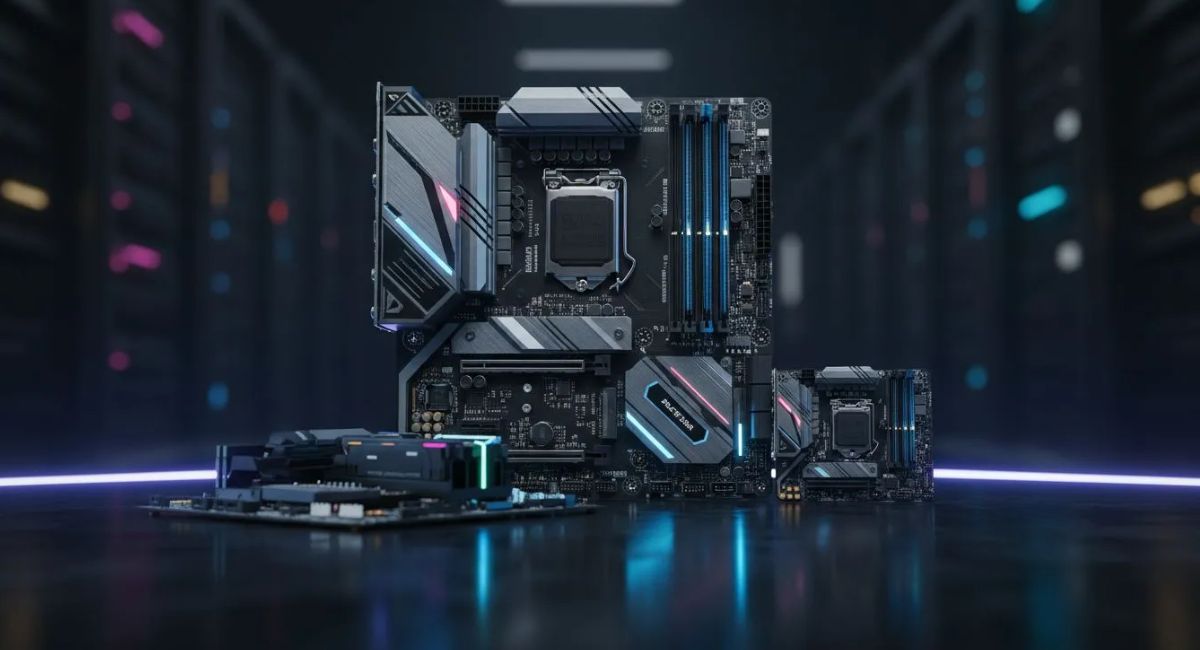
Motherboards come in different sizes known as form factors, and ATX and Micro ATX are the most widely used standards in desktop computers.
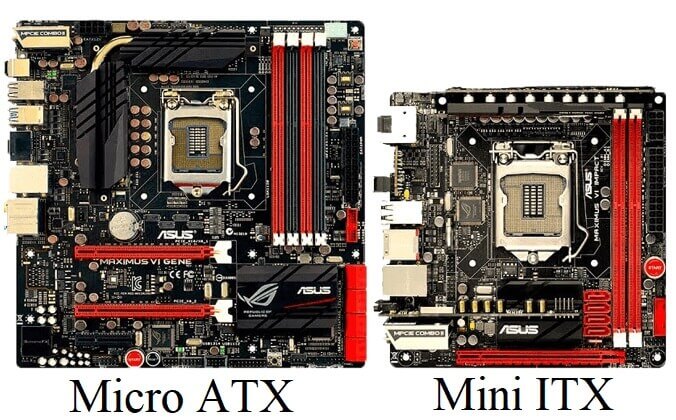
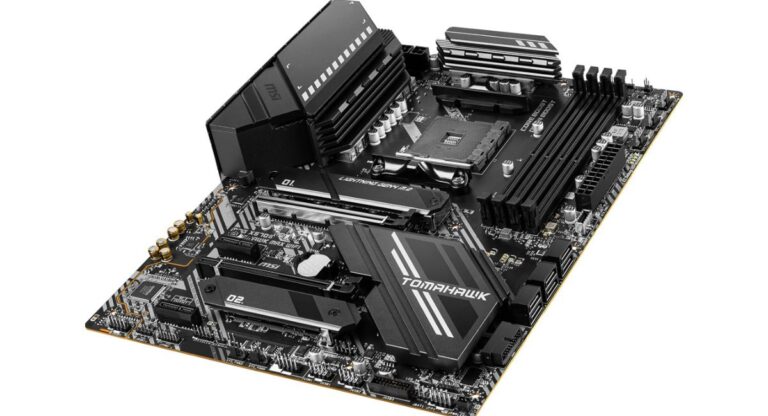
An ATX motherboard is a full-sized board designed for high-performance systems, offering more slots and better expansion options.
On the other hand, a Micro ATX motherboard is a smaller version designed for compact builds while still offering decent performance for everyday use.
Both follow standard layouts but differ in size, expansion capacity, and use cases.
ATX Motherboards Explained
The ATX (Advanced Technology eXtended) motherboard is the most widely used standard for gaming and professional PCs. It offers a larger layout with more space for components, better airflow, and improved upgrade flexibility.
ATX boards support multiple expansion slots, higher RAM capacity, and advanced cooling options, making them ideal for powerful and future-ready computer systems.
Key Features:
- Standard size: 305mm × 244mm
- 4 to 8 RAM slots
- Multiple PCIe expansion slots
- Better airflow and cooling support
- More storage connectors (SATA + M.2)
Where ATX is Used:
ATX motherboards are widely used in gaming PCs, professional workstations, video editing setups, and high-performance computers where strong power, better expansion, and upgrade flexibility are required.
Advantages of ATX:
- High upgrade flexibility
- Better performance support
- More RAM capacity
- Excellent cooling and airflow
- Supports multiple GPUs (in some cases)
Disadvantages of ATX:
- Requires large PC case
- More expensive than Micro ATX
- Not suitable for compact builds
- Consumes more space
Micro ATX Motherboards Explained
The Micro ATX (mATX) motherboard is a smaller version of ATX designed for users who want a balance between size and performance.
Key Features:
- Standard size: 244mm × 244mm
- 2 to 4 RAM slots
- Fewer PCIe slots
- Compatible with most mid-size cases
- Affordable pricing
Where Micro ATX is Used:
Micro ATX boards are widely used in home PCs, office systems, budget gaming setups, and compact builds.
Advantages of Micro ATX:
- More affordable
- Compact size design
- Fits in smaller cases
- Good for daily usage
- Energy efficient
Disadvantages of Micro ATX:
- Limited expansion slots
- Less upgrade flexibility
- Reduced cooling space
- Not ideal for high-end gaming
ATX vs Micro ATX – Detailed Comparison
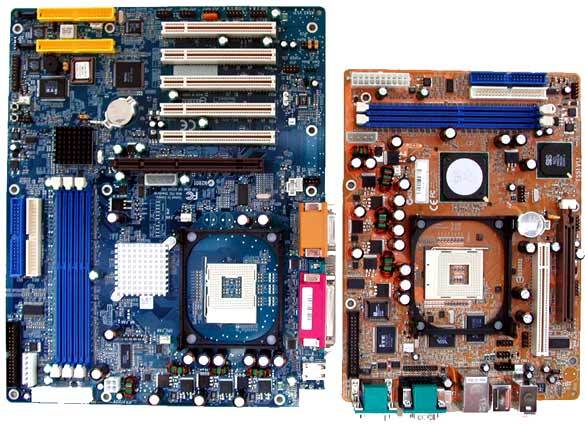
Both motherboard types serve different purposes, and choosing the right one depends on your needs.
Key Differences:
- ATX is larger, Micro ATX is smaller
- ATX supports more RAM slots
- Micro ATX has fewer expansion options
- ATX offers better cooling performance
- Micro ATX is more budget-friendly
Quick Comparison Table:
| Feature | ATX | Micro ATX |
| Size | Large | Compact |
| RAM Slots | 4–8 | 2–4 |
| Expansion Slots | Many | Limited |
| Cooling | Excellent | Moderate |
| Price | Higher | Lower |
| Best For | Gaming/Workstation | Budget/Office PC |
Performance Differences
Performance between ATX and Micro ATX depends more on components than size, but the form factor still plays an important role.
ATX motherboards provide more space for high-end GPUs, better airflow, and additional cooling systems. This makes them ideal for heavy gaming, 3D rendering, and multitasking systems.
Micro ATX, while smaller, still supports modern processors and GPUs, making it suitable for everyday tasks and mid-level gaming.
Build Types and Use Cases
Choosing between ATX and Micro ATX depends on your usage needs.
ATX is best for:
- High-end gaming PCs
- Video editing workstations
- Streaming setups
- Heavy multitasking systems
Micro ATX is best for:
- Budget gaming PCs
- Office computers
- Home entertainment systems
- Compact PC builds
Advantages of Understanding Motherboard Form Factors
Knowing the difference helps you make better PC decisions.
- Avoid compatibility issues
- Choose correct PC case size
- Improve upgrade planning
- Better performance optimization
- Save money on unnecessary features
Important Features to Consider Before Buying
When selecting between ATX and Micro ATX, consider the following:
- Number of RAM slots needed
- Required PCIe expansion slots
- Available case size
- Future upgrade plans
- Budget limitations
- Cooling requirements
These factors help you choose the right motherboard for long-term use.
Common Misconceptions
Many users think bigger motherboards always mean better performance, but that is not true. Performance depends on CPU, GPU, and RAM, not just motherboard size.

Another misconception is that Micro ATX is outdated, but in reality, it still supports modern hardware and performs well for most users.
FAQ’s
1.What is the main difference between ATX and Micro ATX motherboards?
The main difference is size and expansion capability. ATX is larger with more slots, while Micro ATX is smaller and more budget-friendly with fewer expansion options.
2.Which motherboard is better for gaming, ATX or Micro ATX?
ATX is better for high-end gaming due to more expansion slots, better cooling, and upgrade flexibility, while Micro ATX is suitable for budget gaming systems.
3.Can Micro ATX support gaming PCs?
Yes, Micro ATX can support gaming PCs, especially mid-range setups. It depends on the CPU, GPU, and RAM rather than only motherboard size.
4.Is ATX always better than Micro ATX?
Not always. ATX offers more features, but Micro ATX is better for compact and budget builds. The choice depends on user needs and space availability.
5.What should I choose for a future-proof PC build?
For a future-proof PC, ATX is better due to more expansion slots, higher upgrade flexibility, better cooling support, and long-term hardware compatibility advantages overall.
Conclusion
ATX and Micro ATX motherboards both play important roles in modern PC building. ATX is ideal for high-performance systems with maximum upgrade options, better cooling, and expansion flexibility, while Micro ATX is perfect for compact and budget-friendly builds. Your choice depends on performance requirements, budget, and available space. Understanding both helps you build a balanced, efficient, and future-ready computer system for different use cases and needs.